
Blog
Get the latest trading news
Get the latest trading news
By orbix • Publish in How to use orbix • Jun 19,2026 • 4 min read

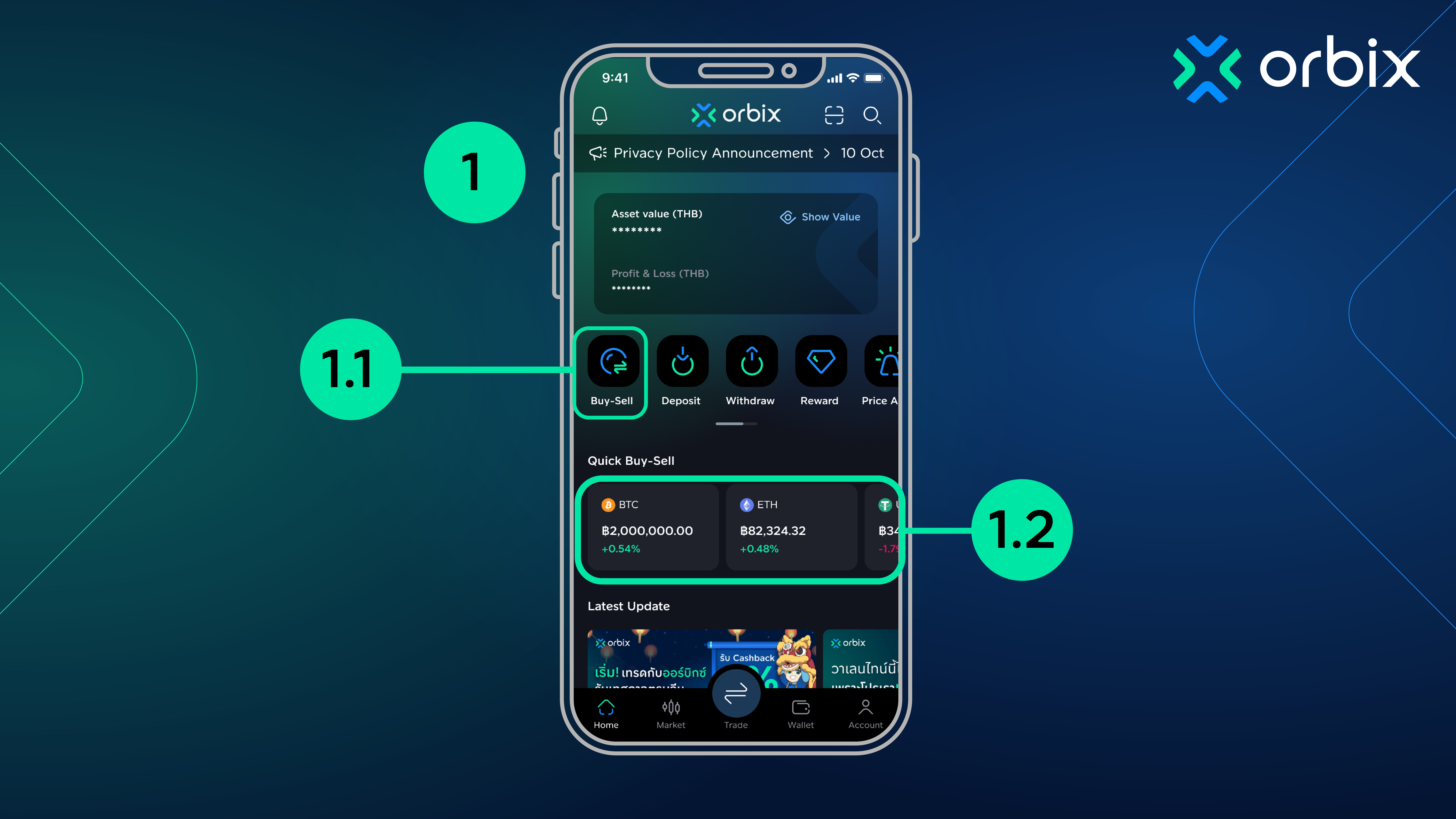
1. . Open the orbix application and log in. Go to the home screen.
1.1 Tap “Buy-Sell”
1.2 Or select “Quick Buy-Sell” to instantly purchase 3 major coins (BTC, ETH, and USDT)
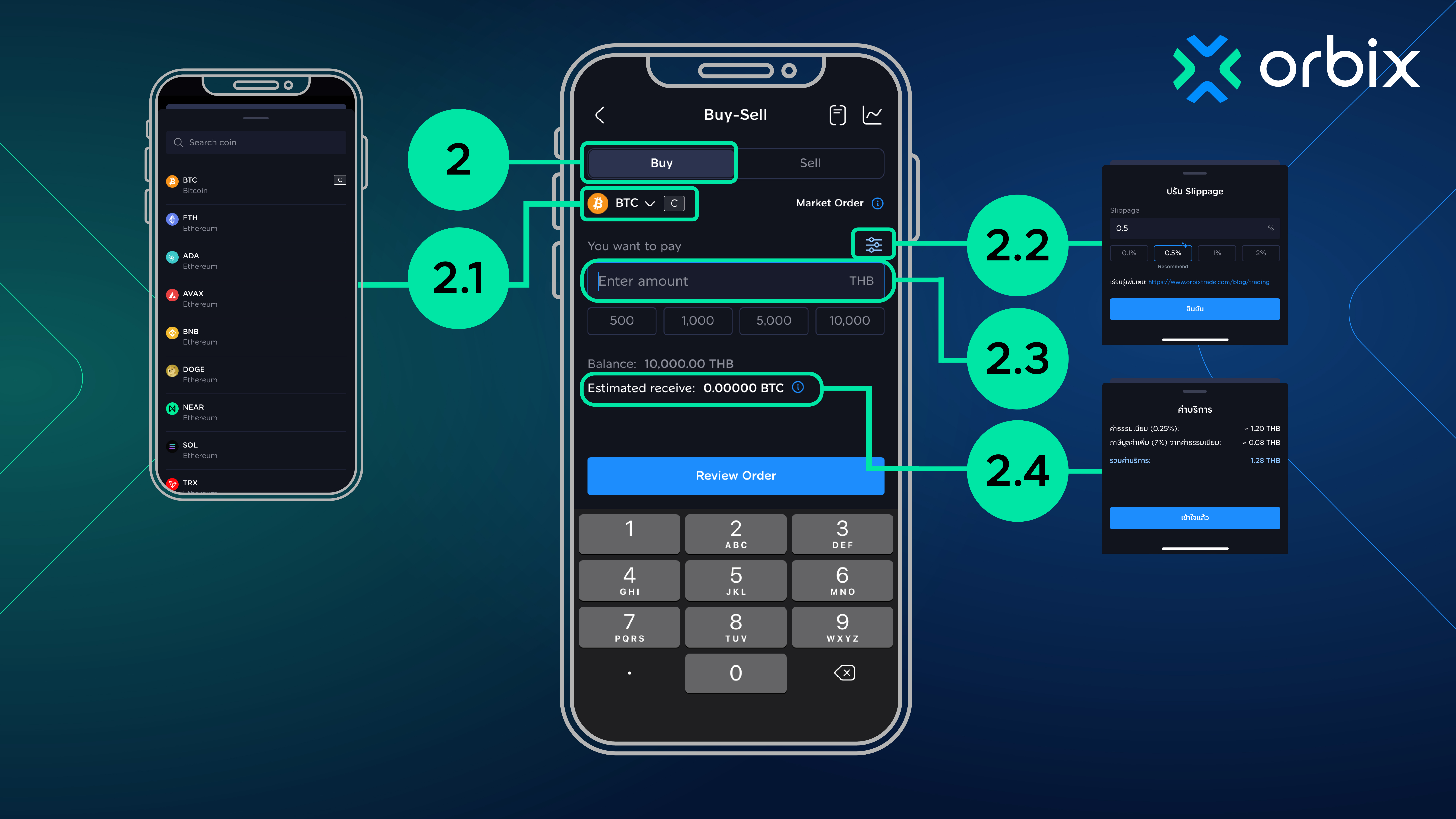
 2. Go to the “Buy” menu
2.1 Select the coin you want to buy
2.2 Set your preferred slippage
2.3 Enter the amount you wish to purchase (the total amount includes fees and applicable taxes)
2.4 Review the estimated amount of coins you will receive and the service fee shown in 🛈
2.5 Tap “Review Order”
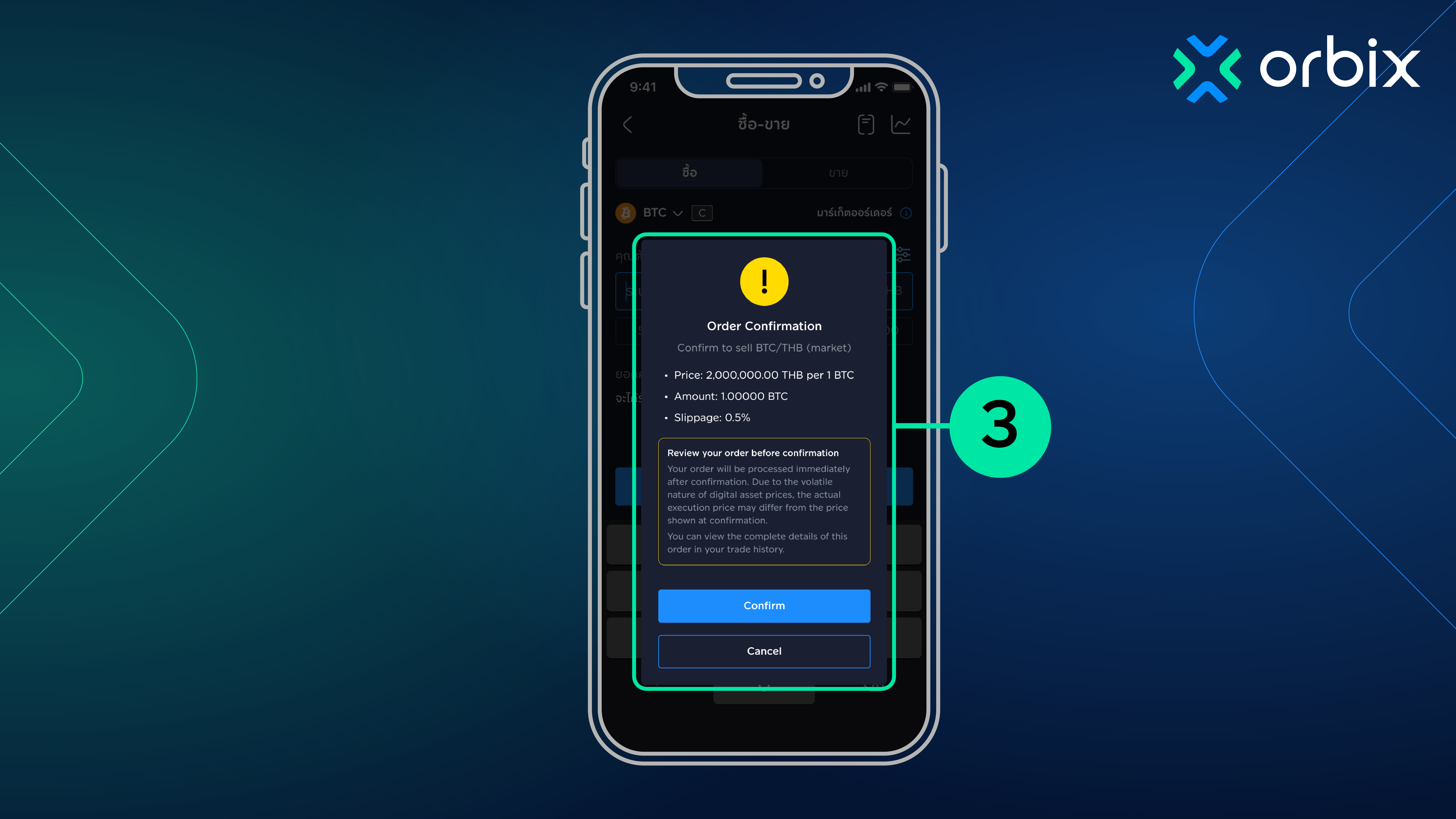
 3. Review the order details, including market price, purchase amount, and slippage, then tap “Confirm”
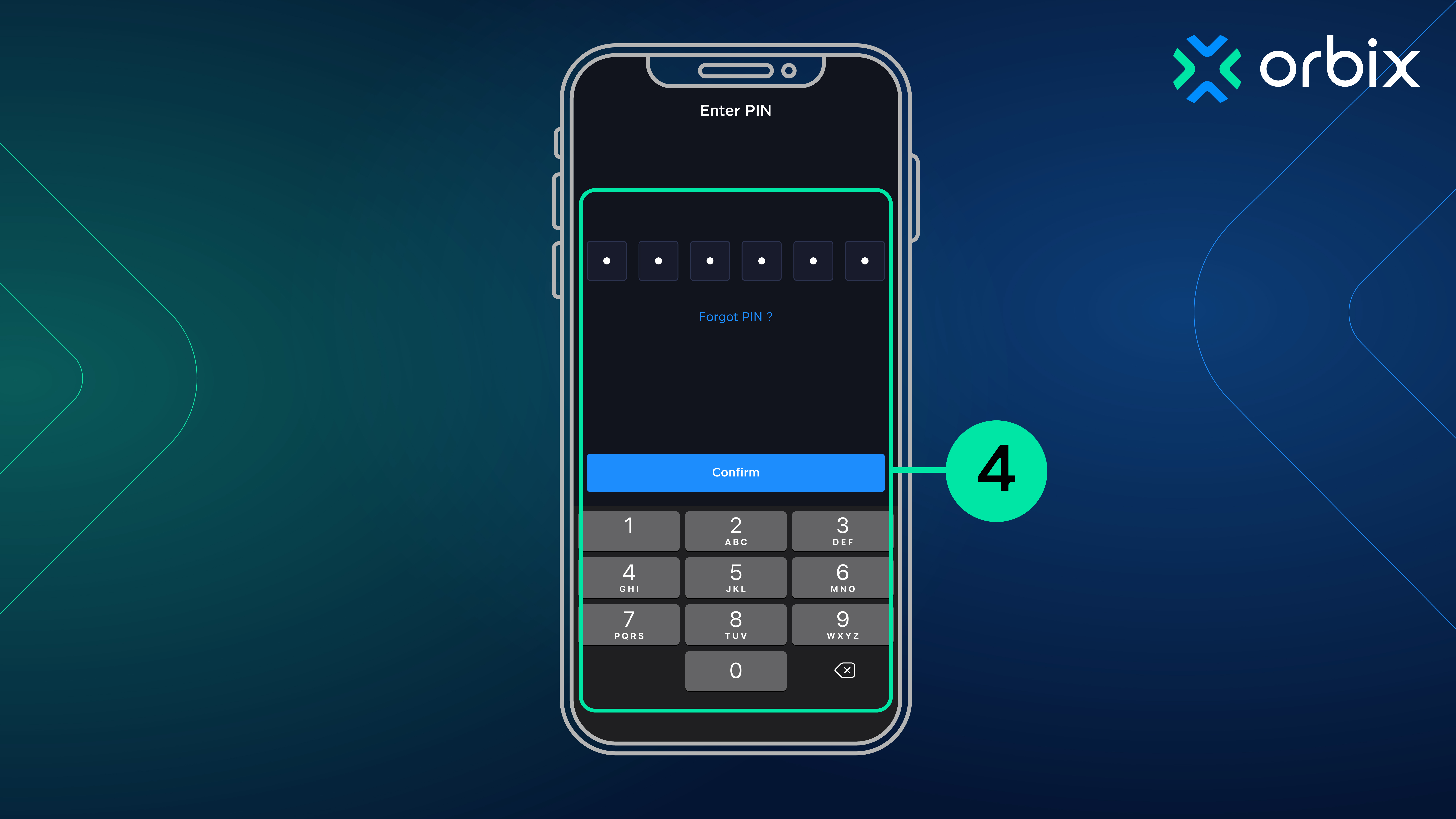
 4. Enter your PIN to confirm the transaction
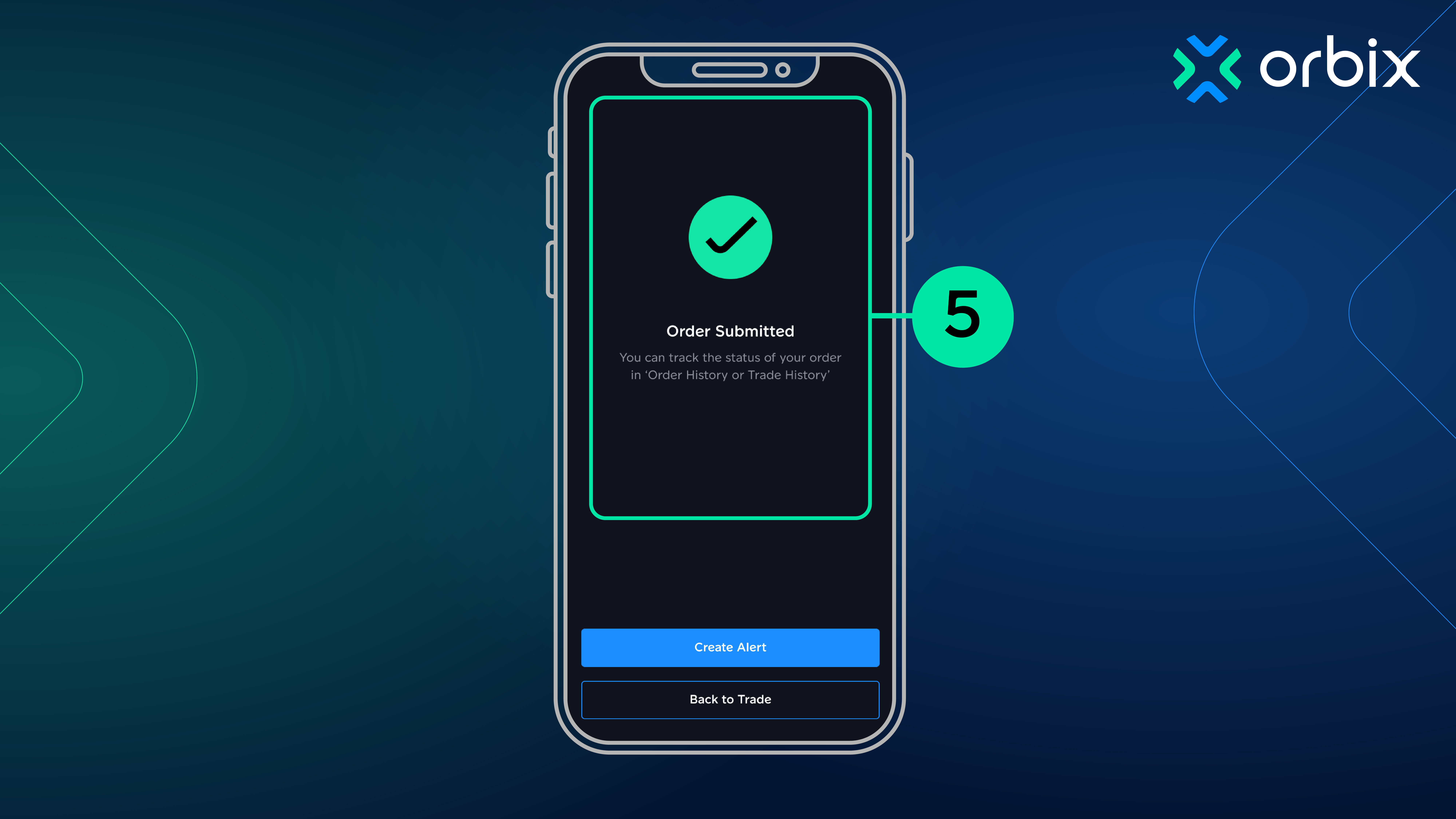
 5. Your purchase is completed

Content Writer

Price Alert คืออะไร
รู้จักฟีเจอร์ Price Alert ตั้งเตือนราคาที่ใช่ ไม่ต้องเฝ้าจอ จบปัญหาเข้าซื้อ-ขายไม่ทันเวลา
orbix
Jan 08,2024
4 min

How to buy cryptocurrency coins on the orbix Trade application
How to buy cryptocurrency coins on the orbix Trade application
orbix
Sep 17,2025
4 min