
Blog
Get the latest trading news
Get the latest trading news
By orbix • Publish in How to use orbix • Oct 29,2026 • 4 min read
Next article

Content Writer
Your Smooth Start to Crypto — From Sign-Up to Your First Trade
orbix
Dec 16,2025
4 min

 Before You Start:
Update the app, log in, and read the terms of service shown by the system
If you want to buy, make sure you have enough USDT
If you want to sell, make sure the coin you want to sell is in your account
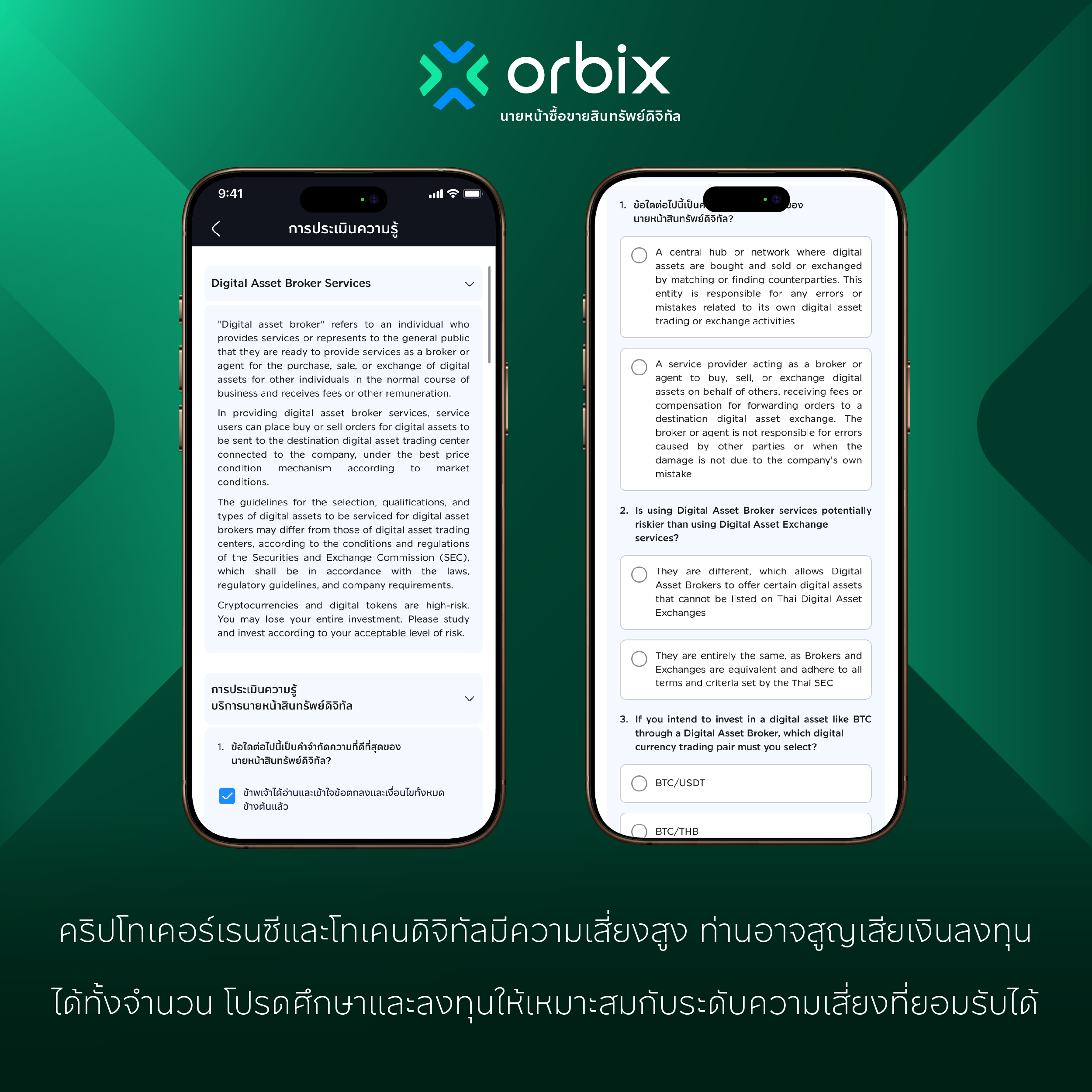 Broker Terms and Quiz:
Read the orbix terms and conditions and the Broker service terms
Give consent as shown by the system
If the system shows a quiz, read the service information and answer the questions step by step
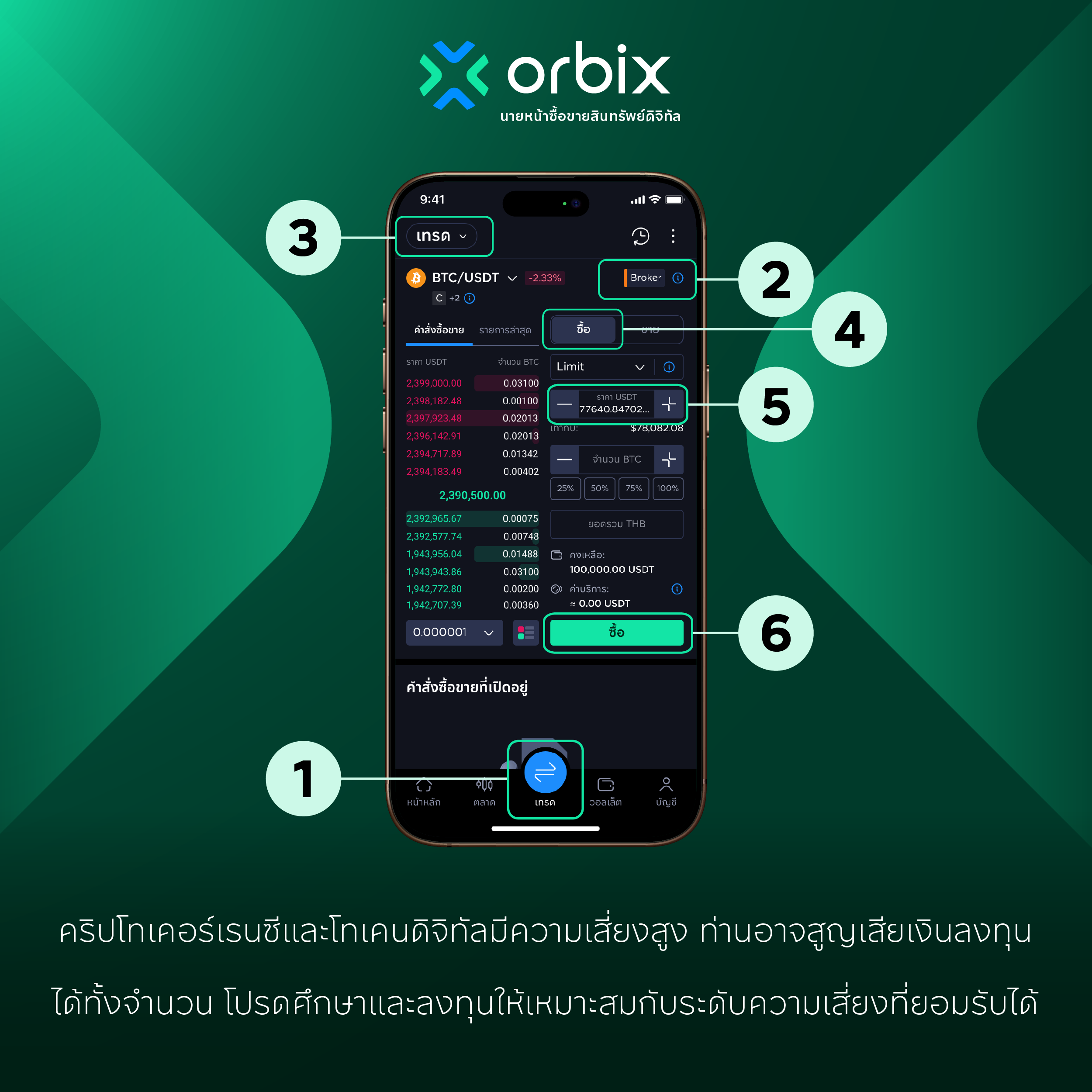 How to Place a Buy Order:
Select “Trade” on the bottom bar
Tap the Broker tab
Select the coin pair you want
Tap Buy
Enter the amount of USDT you want to pay
Check the amount and fees, then tap Buy
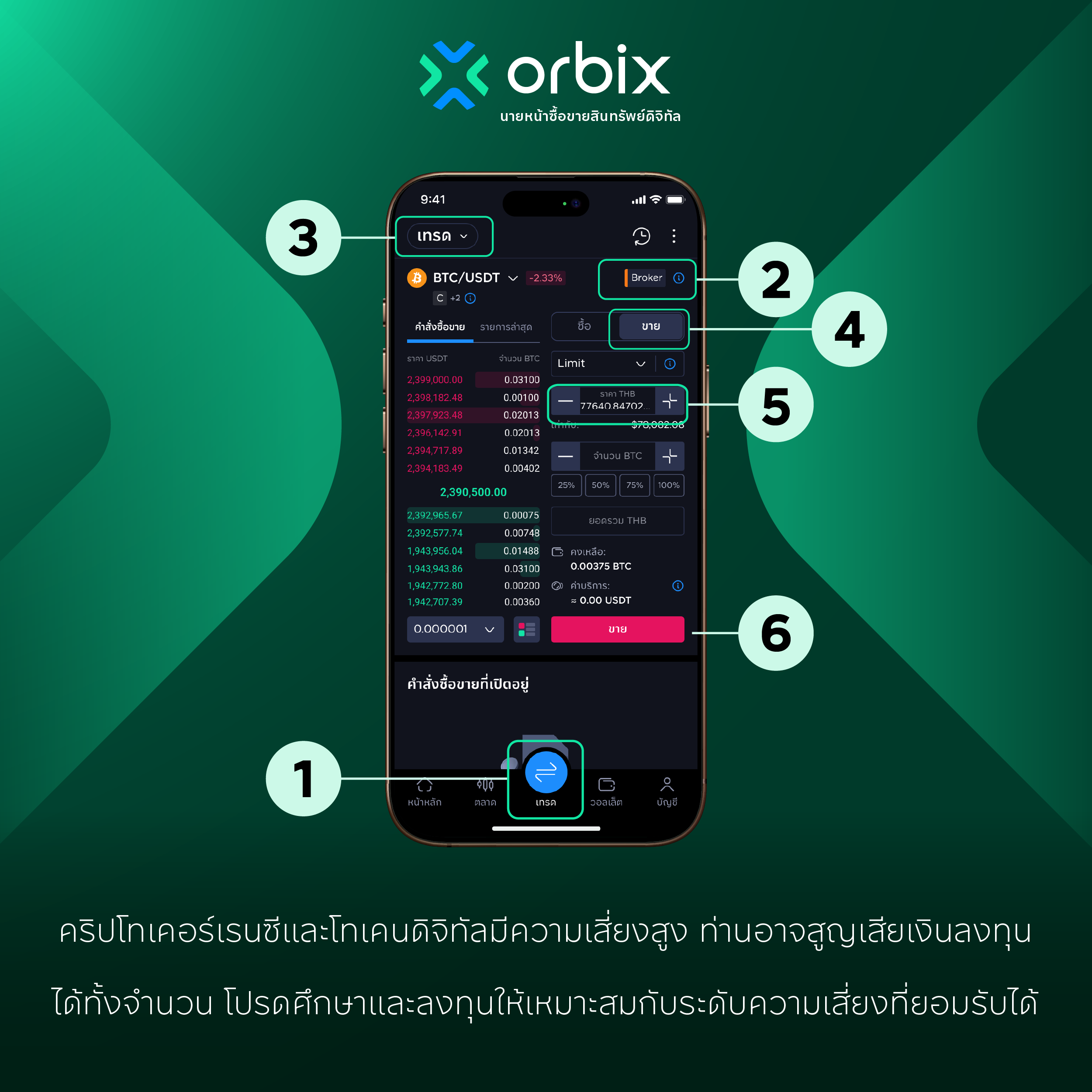 How to Place a Sell Order:
Select “Trade” on the bottom bar
Tap the Broker tab
Select the coin pair you want
Tap Sell
Enter the amount of coins you want to sell
Check the amount and fees, then tap Sell
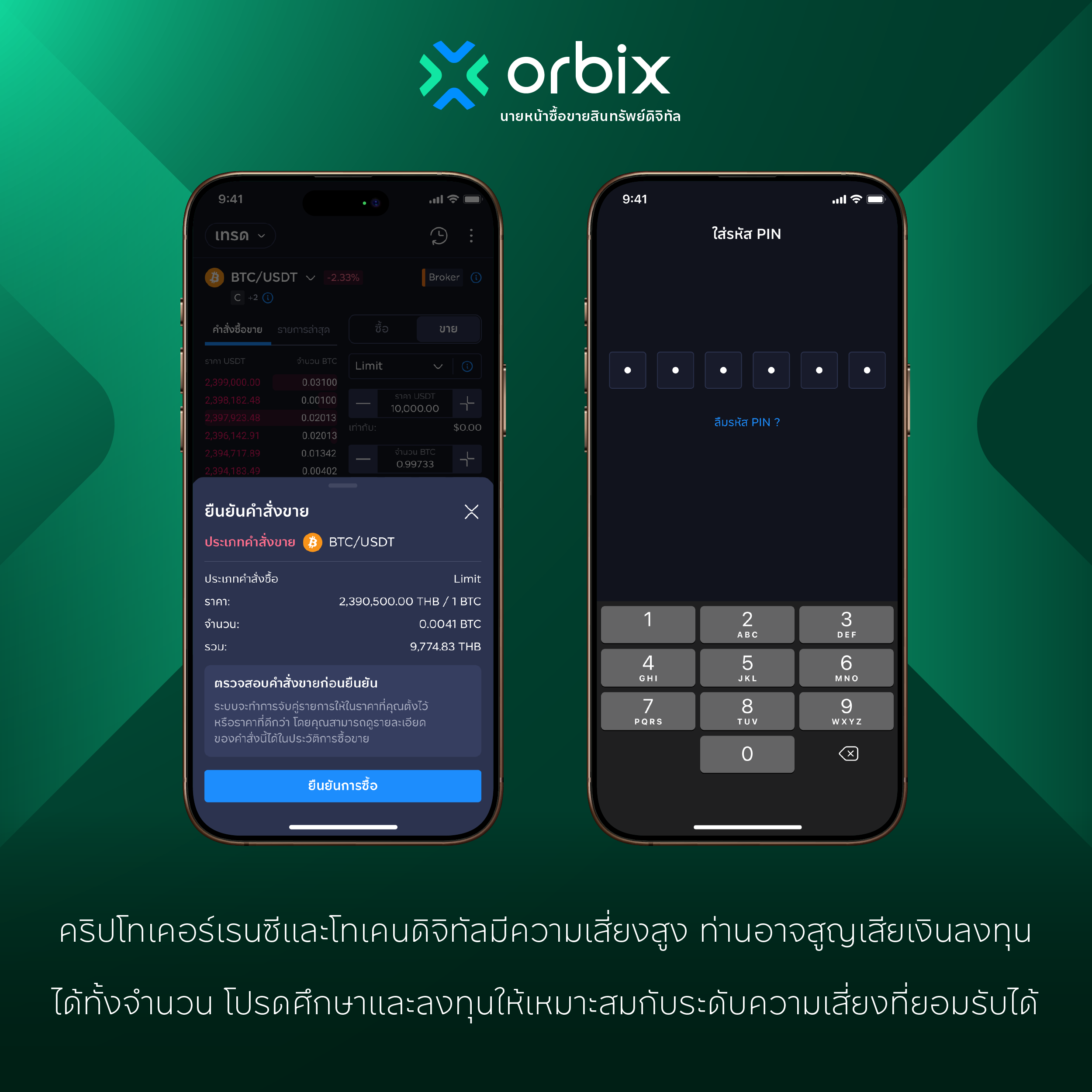 Review and Confirm the Order:
On the Order Confirmation page, check the coin pair, buy or sell side, market price, and amount
Tap confirm, then enter your PIN
When the system confirms the order was created successfully, go to Report to track its status
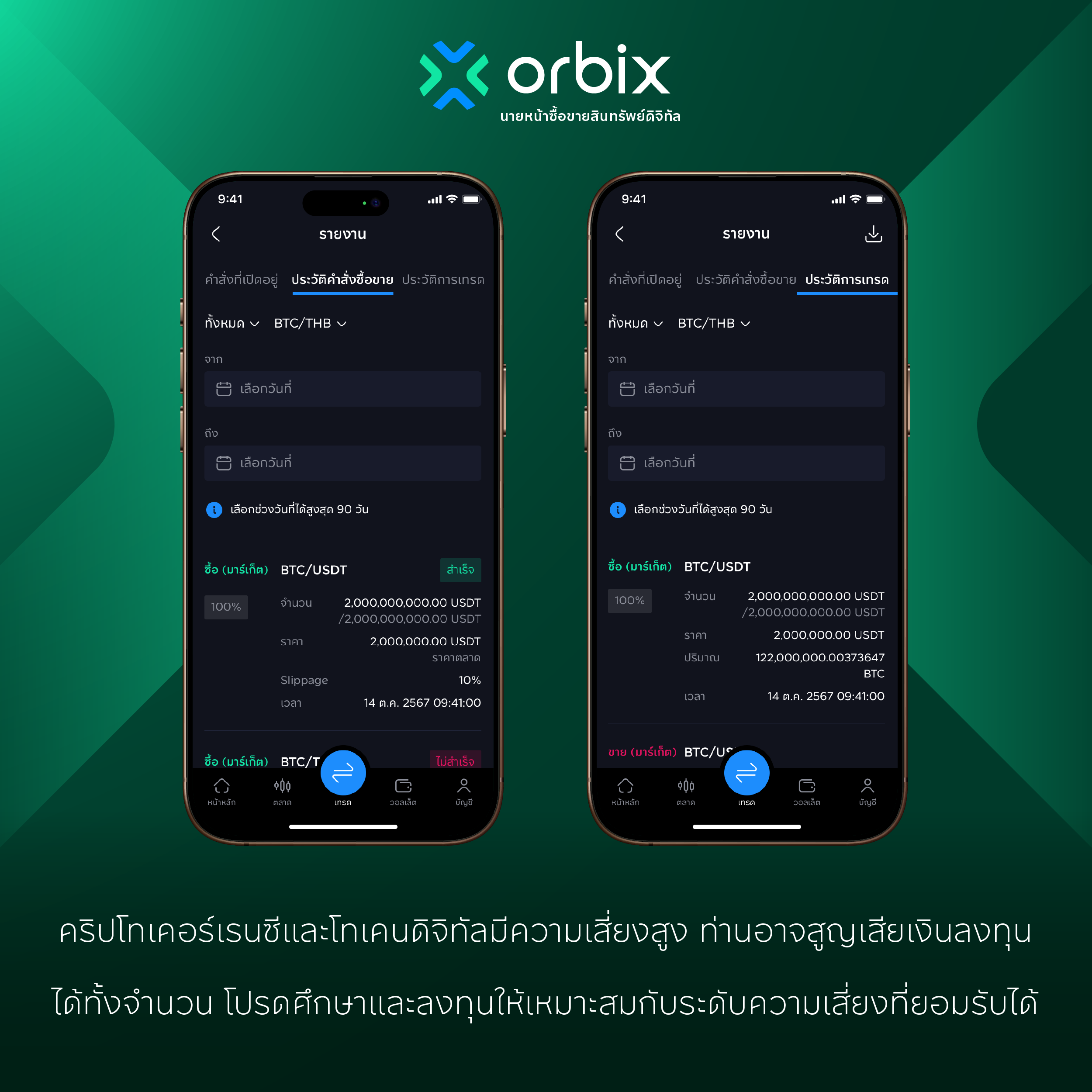 Check Results in Report: