
Blog
Get the latest trading news
Get the latest trading news
By orbix • Publish in How to use orbix • Nov 19,2026 • 4 min read

Next article

Content Writer
Your Smooth Start to Crypto — From Sign-Up to Your First Trade
orbix
Dec 16,2025
4 min

How to Check Transaction History via Website
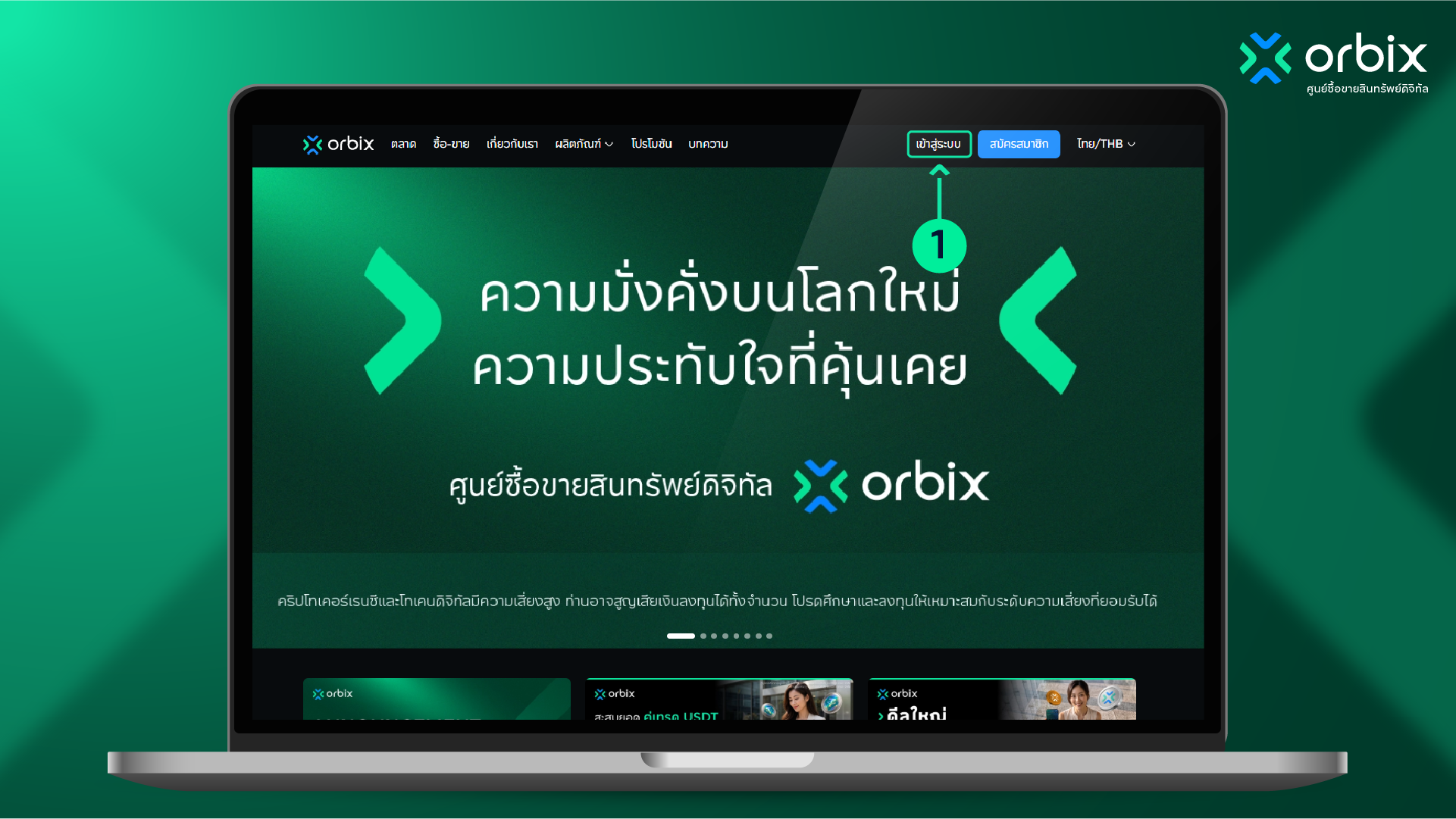
Go to www.orbixtrade.com and select “Log in”
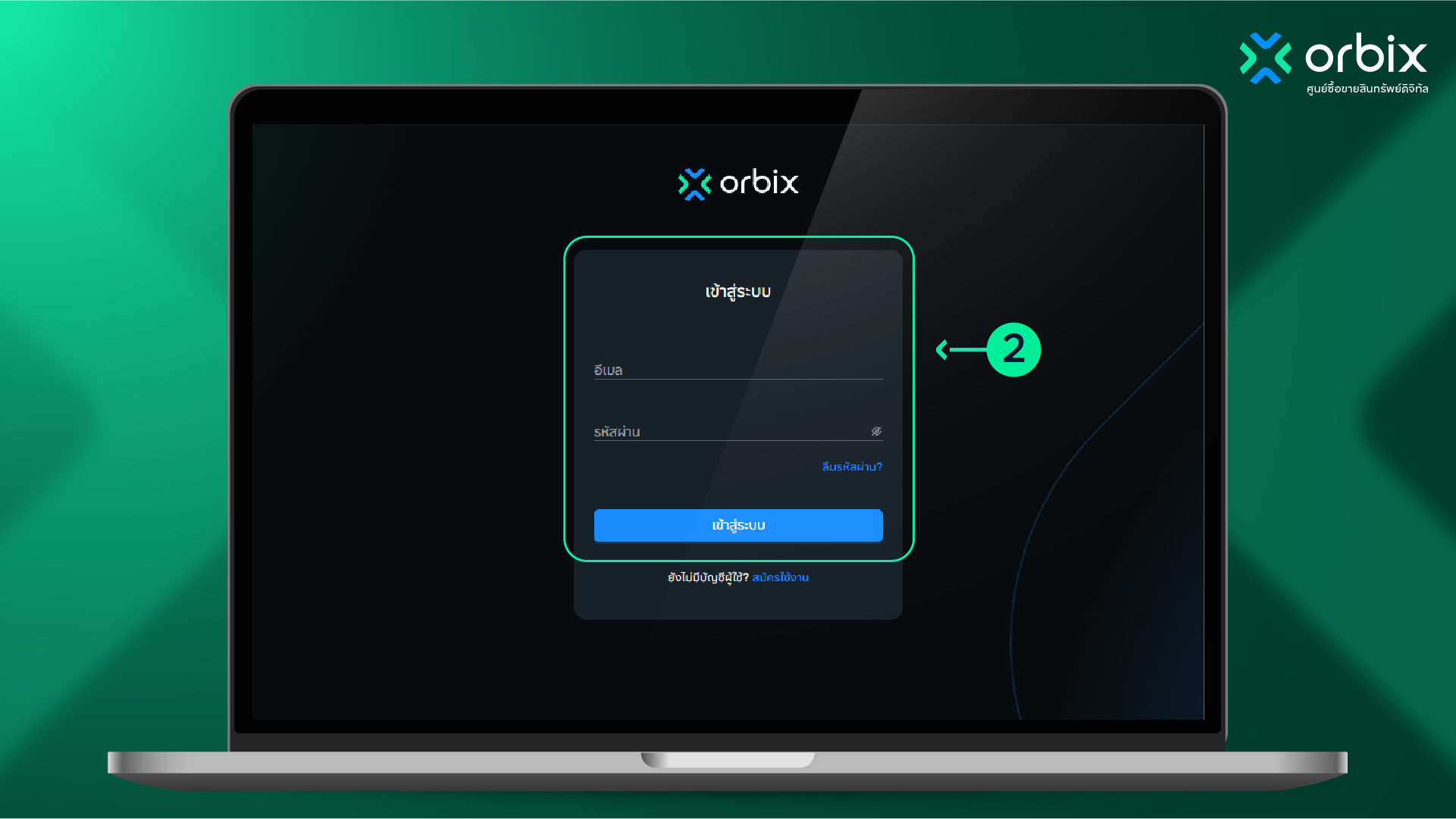
Enter your email and password, then select Log in.
If you forgot your password, select “Forgot password”. To reset it yourself, see the orbix password reset guide. Click
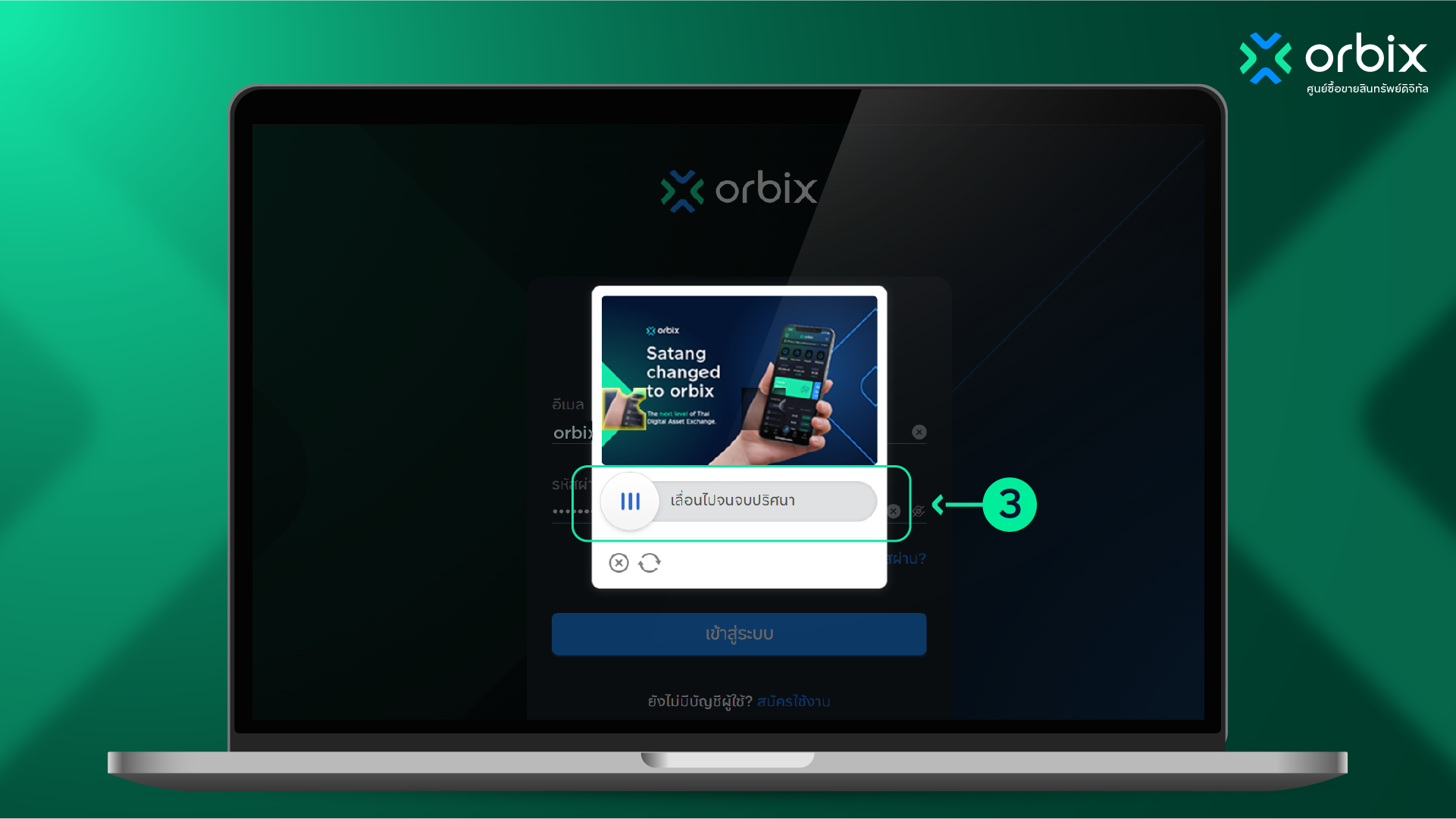
Drag the slider to complete the jigsaw puzzle.
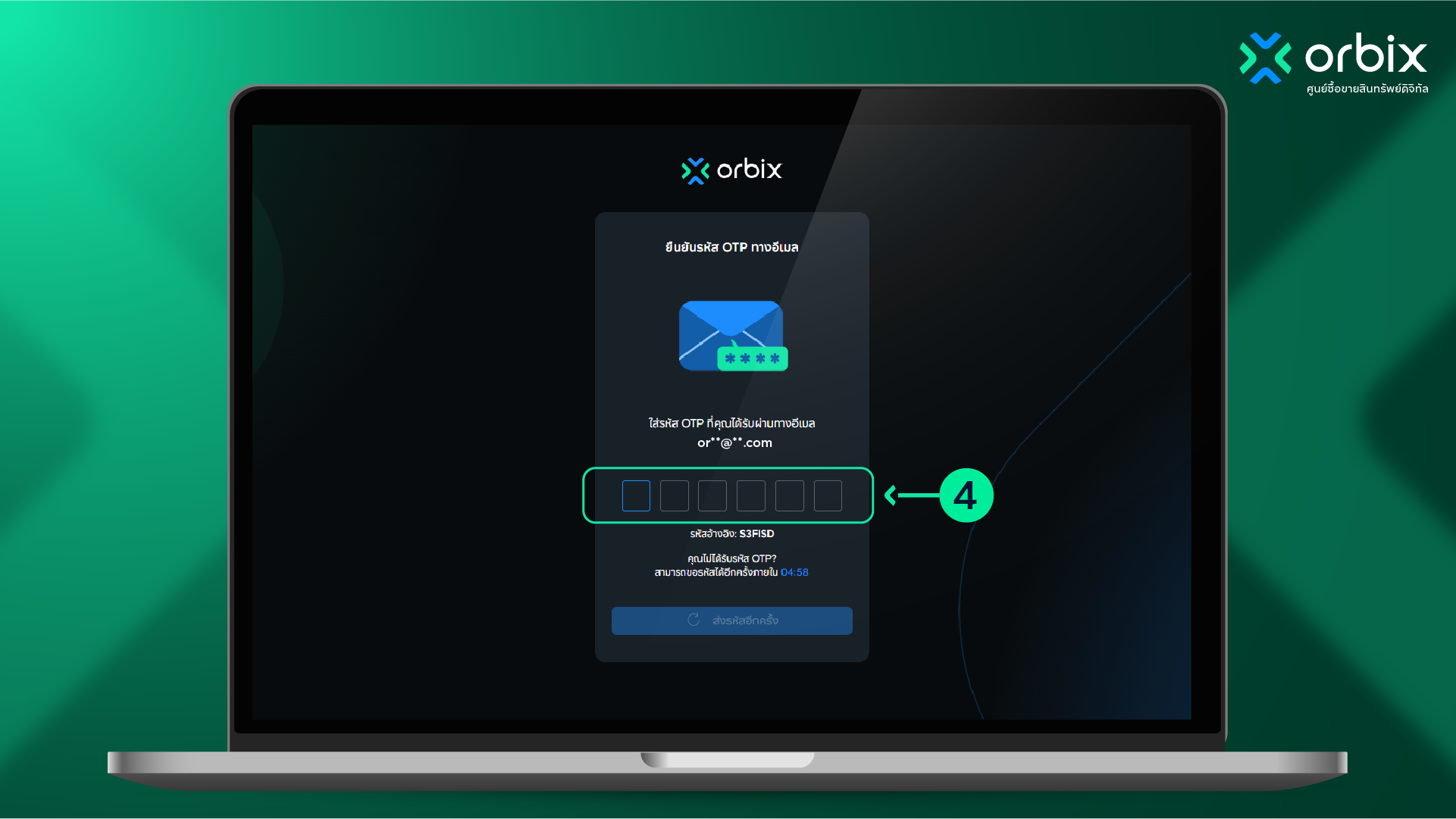
Check the OTP sent to the email you registered with and enter the verification code.
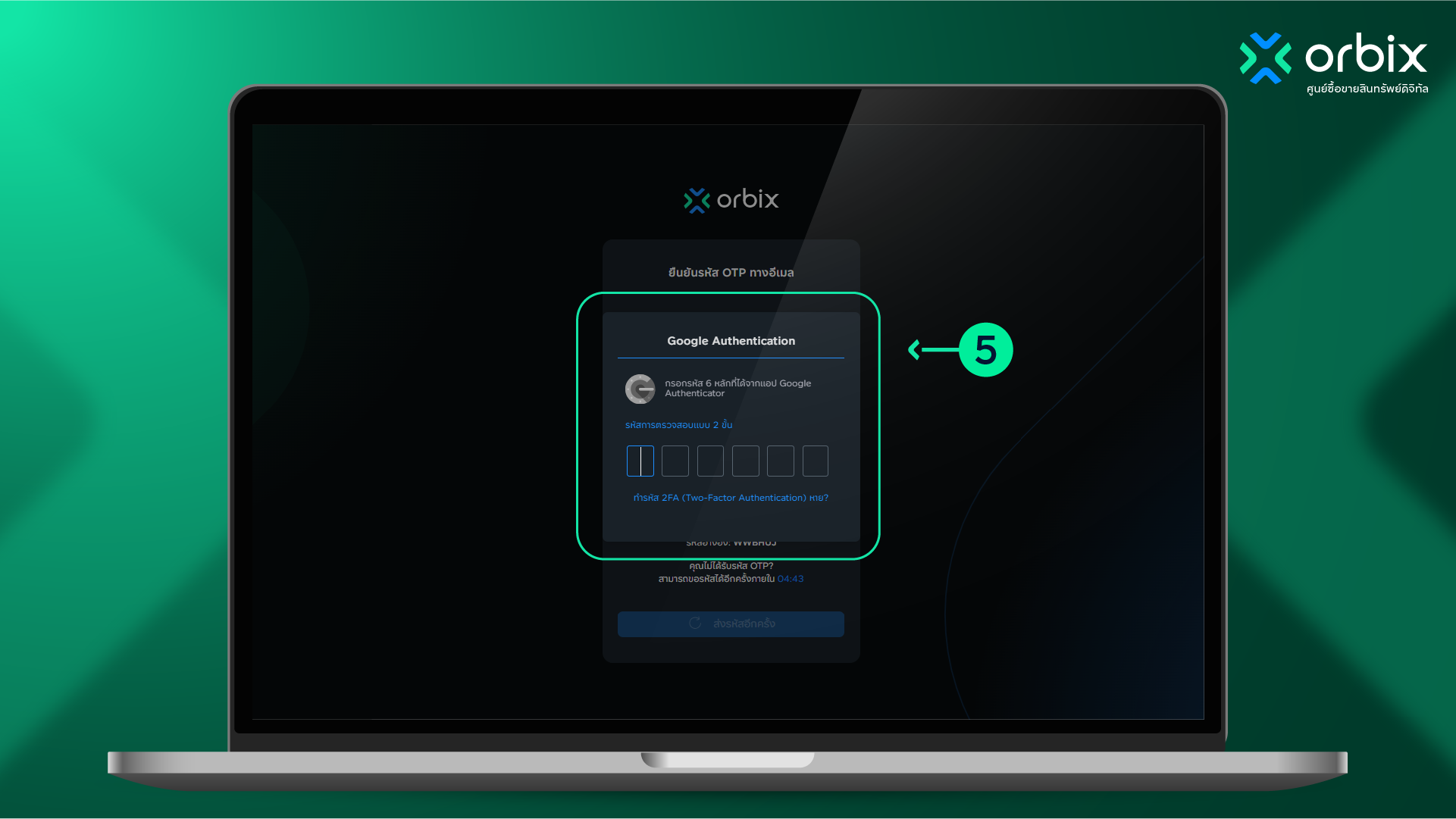
If 2-step verification is enabled, open the Google Authenticator app and enter the 6-digit code to access orbix.
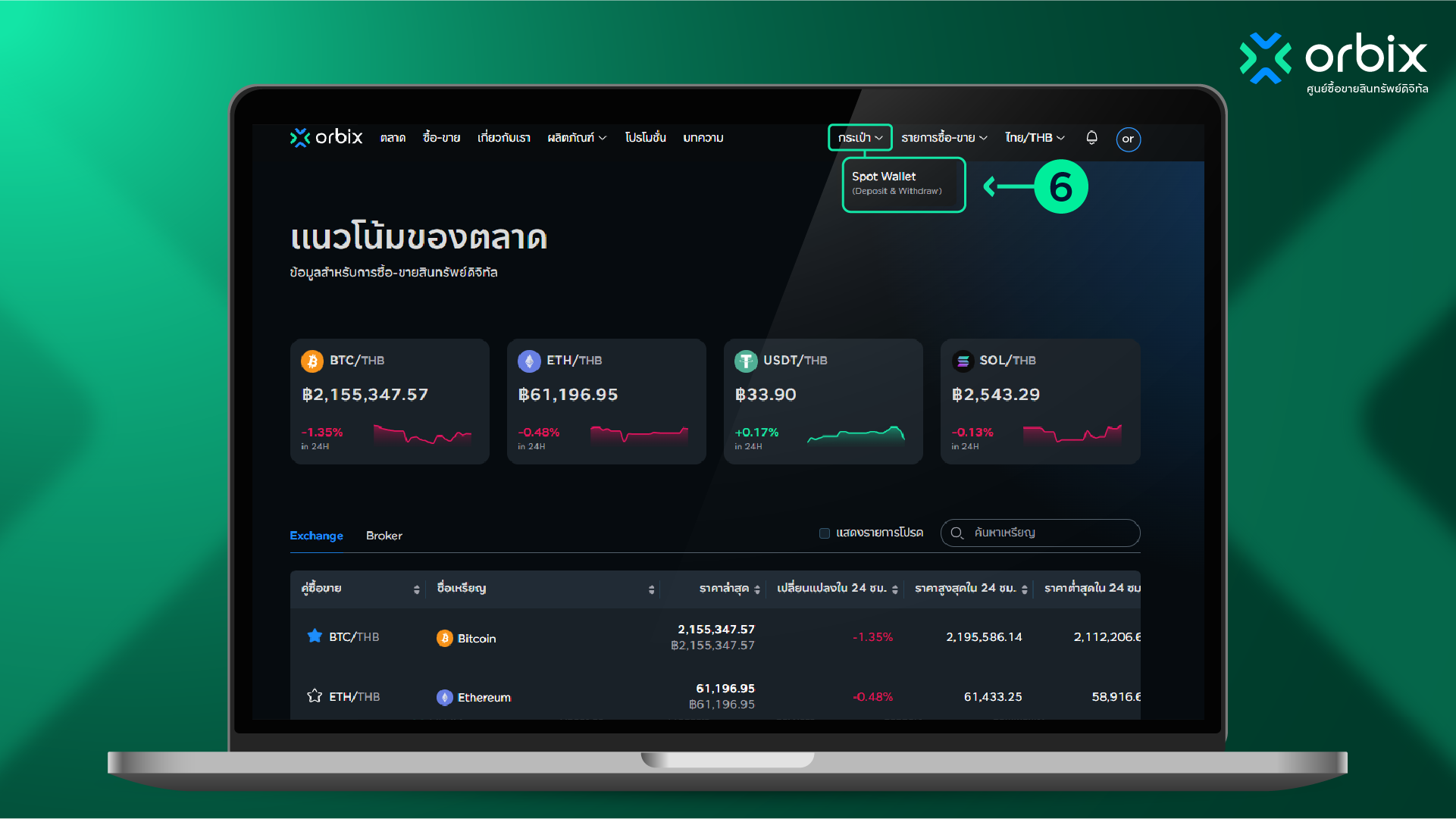
After logging in successfully, select “Wallet” and then “Spot Wallet”.
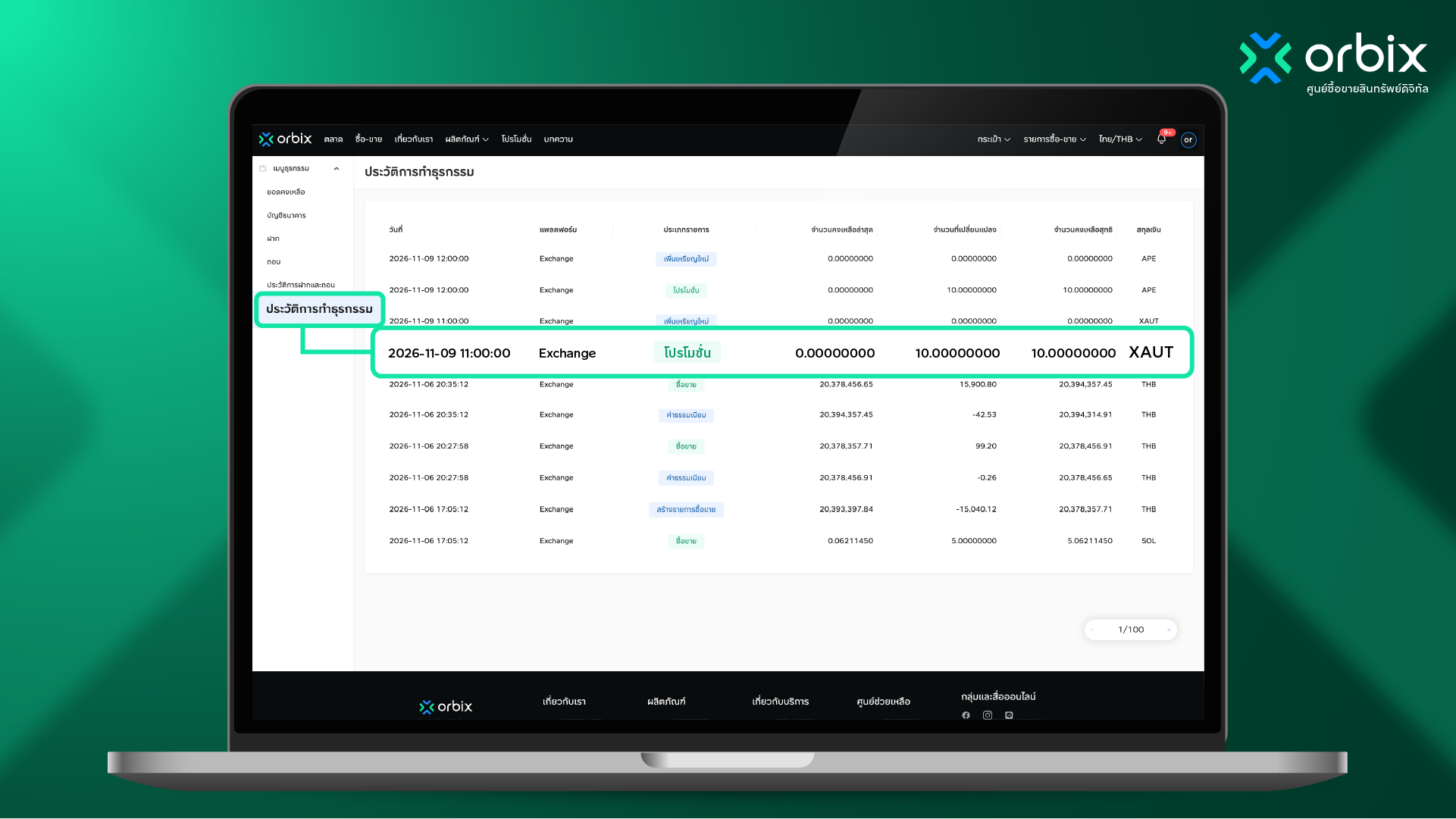
From the right-hand menu, go to “Transaction History” and check the transaction you need.
For more information:
Call Center: 02-026-6107, 08:00–19:00
Live Chat: orbixtrade.com/en/live-chat, 08:00–24:00
E-mail: support@orbixtrade.com, 08:00–24:00